
Ophcrack is a Windows password cracker based on rainbow tables. It is a very efficient implementation of rainbow tables done by the inventors of the method. It comes with a GTK+ Graphical User Interface and runs on Windows, Mac OS X (Intel CPU) as well as on Linux.
There is also article and more screen shots at Lifehacker:
Extremely impressed at the ease and speed with which the Ophcrack Live CD cracked my Windows admin password when I tested it out last a few weeks ago, I thought it might be useful to throw together a quick guide detailing how to use this powerful little utility.
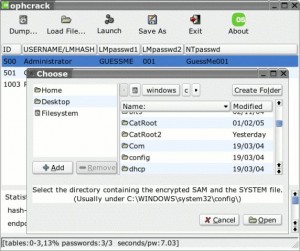
Whether you need to recover the lost password to a Windows account, you’re looking to ensure that your passwords are secure, or you’re a super l33t h4x0r, the Ophcrack Live CD is a pretty useful tool.

Does this crack vista passwords? I got a few of them that need to be reset but dont have the time to reformat them to get them working again.
how can i crack vista in Ophcrack Live CD
required to remove password from vista machine
how creack computer account password
it is very self explanotory. you boot from disc, and it cracks passwords automatically. very simple my friends. very simple.
i downloaded the Ophcrack.iso file and burn into a cd disc.
I did try to boot up the pc with the disc, but it seem not booting from the disc.
my pc did looking for a while on the disc and continue to boot from my harddisk.
Is there anything that i miss out?
i used this OPH live cd with vista and its couldnt crack my password, my xp one cracked all the users, but vista didnt get cracked????
does ophcrack require a regular cd-r or a dvd cd? which is best? also, do i boot from the pph cd or put in at a certain time?
once the .iso file is downloaded would I need to burn it onto the cd/dvd useing a burn image program or just copy/paste file onto disk? Thanks! -JJ
Vista ISO didn’t work on dual core, will not load default plug n play
a couple questio0ns answered…
1. there is a special version for vista. just google search “ophcrack live cd vista download”
2.u do have to burn it with a cd burn program. i recommend imgburn
3.cd-r or dvd-r it doesnt matter it fits on both
4.to make sure it boots from disk do these two things
-make sure u burn it do a disk using cd burn program and not just copy-pasting files onto disk
-go into ur bios and make sure the order of boot puts cd a higher priority than hard disk
5.i think u have to install tables or something?
I think this ophcrack is not made for cracking win xp or vista password. It is a cd for fun only.
Can anyone pass me please the link to download the ophcrack livecd for widows vista? i downloaded ophcrack 2.3.1 but it didnt work. Please help me, I really need your help, I have essential information in the system I cant loose. Thanks! SUSAN
kernal panic – not syncing: Attemped to kill the idle task – this what I got on the post after selecting a mode with Ophcrack vista for Win Premium.. and downloaded the file twice and burned it twice.. got the same message..
oh yeah, i m using a virtual machine… it shouldn’t matter.. for my xp ophcrack Cd works great
Hey with the Vista verson 2.3.1 …. when i load the ISO cd it comes up with a comand promt box which requrestes you to enter the portion you want to crack… what are you ment to do here because whatever i enter it comes up with an error… and then it loads a desktop screen with Slitaz…. is this ment to happen? is this happening to anyone else
um… the way ophcrack woks, IT CANNOT CRACK or FIND VISTA PASSWORDS, NOT POSSIBLE, EVEN WITH THE VISTA LIVE DISC
i can not get this to work on my vista can anyone tell me anything else i have info in here i can not loose
If you forget the administrator’s password but still can log on Windows with other user names that have administrative privileges, you may follow the instructions below:
Right click the computer icon on your desktop, select Manage, find Local Users and Groups, unfold Users folder, right click Administrator, click Set password… in the menu comes up. Click Proceed in the dialog, in the pop-up, enter a New Password and confirm it. Your administrator’s password is successfully reset.
Guest account may help to log onto Windows, but it has no privilege for you to do the above to reset the administrator’s password.
If you forgot all user passwords and failed to log onto Windows, there is no other way but to format the OS and reinstall Windows, or resort to sort of software tools to remove the password and log onto Windows. These programs cost some bucks, but are worthy and better than to reinstall the OS causing consequences. The most popular programs are Windows Password Reset 6.0 etc. Generally, these programs are easy to use though turn out to be a scary command prompt to newbie. But do relax and you can fully manipulate. Let’s take Windows Password Reset 6.0 for example. You prepare a blank CD, burn the program onto the CD, boot the locked computer from the CD, come to initiate the program, locate the user name, and proceed to remove its password – all are at ease.
Which is why you use it to get the SAM hash, then crack the hash with a pre-generated list….
two days before i unfortunately set my password in vista……but i can login into my laptop with those passwords….and i heard about ophcrack and tried for cracking the passwords….but the result i got was “not found” in “nt pwd” column….. what can i do now……..
I burned OPH 3.2.1 Vista Live to DVD and booted up. It ran through it’s processes and after about 20 minutes, none of the 3 passwords on my machine were found. What puzzles me is that I KNOW that 2 of the 3 passwords are simple (short alpha/numric only, no characters.) So, is there something more that I need to be doing besides just running the program?
unfortunately, ophcrack didn’t recover any of my passwords… and the one that I knew was only 9 alpha-numeric chars. I was quite disappointed with it (even though the interface is nice)
what are the infects of ophcrack xp or vista password cracker or recovery.
I tried installing ophcrack 2.3.1 live CD for vista
After booting, and loading the cd and starting ophcrack, I get a launch.sh screen showing:
Table found
/mnt/hda….etc
Found one partition thats contains hashes:
/mnt/sda2/windows/system32/config
starting ophcrack
A Problem occured while reading the SAM file found in /mnt/sda2/windows/system32/config.
press any key to exit….
Is theer a way to crack the PW on Vista or not??
any help is highly appreciated, I don’t want to fomrat the drive at this stage
pls help
Thanks
Guss
Sort of the same problem here guys. I get two partitions and it wants me to select one. Every time it asks me to select a partition to crack, i type the extensive directory and it gives me some error about not finding it. and says press any key to exit. how do i tell it the Partition to crack? it detects 2 partitions for me. and neither seem to work once i type the extension listed above.
Reset /crack/hack/recovery windows password/admin password/ vista password with windows password Recovery tool 3.0
1. Log onto a computer that can link to the Internet. Download Windows Password Recovery Tool 3.0 from site: sn.im/recoverwindowspassword
for Windows XP, Vista, 2003, 2000, 2008 and decompress it on that PC. Note that: there is a .ISO file. Burn the .ISO file to a CD.
2.Get out the newly created CD and insert it to the locked computer. IT IS SHAREWARE.
3.Re-boot the locked computer and then follow the process of instructions. Just after a few steps, the old password will be removed.
4.Set new password:
Step 1: Open the “Control Panel
Step 2: Click the “User Account
Step 3: Select the account you wanna set a new password.
Step 4: Click “Changing Account ” and “Set Up Password”, then fill out the form as listed. Click “Create Password”.
hi everyone i see you are having some issues using ophcrack on vista i had a few issues also i fixed it some of you dont seem to have downloaded the table the table is not downloaded on install you must google it and find a talbe to download it will come in a zip file you must download WINRAR from google then extract the table file to a folder on your desktop then open ophcrack click on tables, install, and find the file highlight it then click ok
once youve done that the table will be recognized by ophcrack and then click on “crack” and it will start going through the table.
if you cant even login you dont know the password you could try the live cd or if you have a graphing calculator there is a way to crack the password with it you need a computer hook up though and a small program must be installed i am pretty sure on the calculator itself
this is on youtube
on vista i am not sure yet currently i am using an XP machine when i get a chance i will test it on my laptop which runs on vista.
i have vista live cd but
how can i use it
i try to use and this cd open with graph. mode but i can’t break vista password
so plz reply how to use…
Need help, everytime I reboot with CD in, everything goes fine, until launch.Sh pops up, it shows two partitions, 0. and 1. everytime i try to type their paths, it says a problem has occurred. Pretty much the same problem as Duck…. this is really really frustrating.
Omg that happened to me too, how do you fix it or is the file from website broken ?? Please help
yes u can crack vista password with it
tried offline NT gonna try again then gonna try this tonight on vista if it dont work im just gonna do system restore to the point before i changed my password
heres the link http://downloads.sourceforge.net/ophcrack/ophcrack-vista-livecd-2.3.1.iso
i want a softwrae for crack the winxp password
here is a link http://ophcrack.sourceforge.net/download.php?type=livecd
if this deos not work for vista use ntpasswd it will work on vista and seven
I have used both ophcrack-xp-livecd and ophcrack-vista-livecd but it is displaying that password is not found…… Is there any solution to crack the password…… Please help me. Even I have used offline NT Password and Register editor, I tried to clear the password of the particular account. But when I logged in using same user account it is not working ……… Is there any soultion…….. please help me.
thank you in advance………
i am using ophcrack , i dont understand the code.. can anyone read?
IQ conv Codec::convert from unicode:using ASDII for conversion iconv_open failed
QI conv Codec::convert to unicode:using ASCII for conversion,iconv_open failed
/home/tux/launch.sh: line 100: 1661 killed ophcrack-d/-t$tables_inline-w$found/-n$numcpu-o/temp/ophcrack.txt $opts then press any key to exit..
can anyone read this? is there something in there im missing? plz help thankz!
see u can ONLY use CD R, which pisses me off bcuz i have DVD R only -.-
@ duck , stan.
you can solve it by choosing both options, i had the problem too and tried both options, eg. 01
Hey i have a question, i used ophcrack vist live cd on my vista computer, but when it was dont searching, it said the passwords were “Not found”. I dont know what to do now. anyone know plz plz email me:(
the same thing is happening to me
hi to all ophcrack users! everytime when i try to boot my pc from the cd it works. but then ophcrack offers me 4 possibilities: 1: Ophcrack Graphic mode – automatic
2: Ophcrack Graphic mode – manual
3: Ophcrack Graphic mode – low ram
4: Ophcrack Text mode
which one of them do i have to take, that ophcrack starts to show me the passwords of the users as seen on all the youtube videos? everytime i click at the first for example there appears a brown screen that looks similar to the windows start screen and its written “ophcrack live cd
running on slitaz
os”
on it. in the middle you can see a comand promt box which requrestes you to enter the partition you want to crack… what are you ment to do here because whatever i enter it comes up with an error?
Please can anyone help me?
Hi,
I try ophcrack liveCD for vista but its output that the cant find the passowrd of windows vista.
Please can someone can help me?
regards
how can i convert live cd downloaded file into an iso file? plx
i got mine to work, when it shows you the two choices and everyone keeps typing them in where it says 0 or 1, dont type anything except for 0 or 1 and it worked for me on a Dell Studio Dual Core, thought i could help
Yes, live cd vista uses tables or should i say table– vista free table. It can’t hack more than basic passwords containing a charset (403cf58178d7272a48819b47ca8b2e6b) password length unk. The vista special table can be downloaded it contains a charset (0123456789abcdefghijklmnopqrstuvwxyzABCDEFGHIJKLMNOPQRSTUVWXYZ) password length 7 crack or charset (0123456789abcdefghijklmnopqrstuvwxyz) password length 8 crack but this will cost ya $. Hope this helps.
hello,
i download ophcrack iso file and burn in CD by Nero sucessfully.
-i boot my computer from this cd
-the software works ok
– but i cannot crack the password
-plz help me
-send me the step by step by step procedure via e-mail
Yesterday i unfortunately set my password in vista……but i can login into my laptop with those passwords….and
i heard about ophcrack and tried for cracking the passwords….but the result i got was “not found†in “nt pwd†admin but another user pass show this laptop?
column….. what can i do now……..
can u help me?Plase….
hello,
i download ophcrack iso file and burn in CD by Nero sucessfully.
-i boot my computer from this cd
-the software works ok
– but i cannot crack the password
-plz help me
-send me the step by step by step procedure via e-mail
hi…
i am trying to crack my administrator’s password but it show “not found “.
what to do now.
I had same problem, The trick is, to not use your windows/vista burning program. Get a different program, any, then it’ll work
Most people like Graphic mode (Either one, automatic bttr for beginners, iguess). But if graphic doesn’t work for you, sometimes you get error, use text mode.
@Ankit chauhan you are an abosolute tool who knows nothing about computers
when i boot from cd i get message saying operating system not found. does thids mean the program did not burn and how can i fix this? program was burned using active@isoburner. also have free easy burner. please send detailed instructions to e mail. thank you much and kindly.
I have burnt the “Ophcracklive CD” to a disk and the file type is .OSI however when I load the disk into my Laptop – it continues to go to the XP professional login ( the password I cannot remember) Please Help!!!!
I burned ophcrack-xp-livecd-2.3.1.iso some days ago. Today with it i cracked user password on Windows 7.
It was four digit number….
Hi,
I’m having problems with my ophcrack on Vista Home Basic. The program starts fine, then after selecting one of the options, loads up all the white text, but then suddenly stops and no longer loads, meaning I”m stuck on the screen with all the white text.
Please help,
thanks.
hi i have windows vista and i use power iso and deamon tools can i burn oph crack to a virtual drive instead of an actuall cd?
I had same problem. took me 15 minutes or so to crack then it showed “not found” I was like !!!!!
I most definitely used a DVD-R and it worked wonderfully. Just set the write speed to the slowest that your program has and you shouldn’t have any errors if the version you have is clean. If it still doesn’t work, search around and download it form a different site than you used the first time.
awesome! thanks! now where is this guide???
well i got downloaded tha iso file but its cummin up as slitaz insteade of slax but it telling me sumthin bout a partition to crack wat should i do
I have had someone change my Administrative password on my Acer computer, as a joke….and they forgot since the liquor is gone. I have downloaded Ophcrack as a fixer..but how do I get this to download automatically from disk. I have it to boot from disk on main menu..but it’s not starting process.
I am new to Ophcrack, downloaded it, written it on the cd, boots ok! now where do I go from there, I tried it on GUI mode it is something like an Linux operating system with spiders on it. i want to crack my windows 2003 server password.
please help …………….
It doesn’t work with windows7-64 bit. Does vista version work on windows 7 too???
Hello,
I dont know it works on Vista, I tried several times but no password found but when i tried it on Linux, it works. so not sure if it is because of Vista or the program!
Ophcrack is an amazing program if you can get it to work properly. I understand that many of you are frustrated that you can’t use it to crack your computers. The truth is you’re going to need a better table. If the password you are attempting crack isn’t simple, then you’re out of luck. Ophcrack requires you to purchase their complex tables for a hefty price. Try looking on pirate bay and other sites for special tables.
I cannot find where to go to resete the Windows Server 2003 Admin password. I have been going around for hours now.
Pleeeease heeeelp
Hey I used the ophcrack for vista, booted the pc from cd and it did not find the password, it said password not found
Man whoever said to put 0 and 1 in the box is a genius. That solved my problem of getting the error message about the mnt.
Example: 01
i need help i cant download and my adimistrator lost it password what do i do?
i nedd help
i loaded it onto a windows 7 computer and it loaded and then said “abnormal Exit”…. HELP????
ophcrack is not a good product
For some reason, Ophcrack doesn’t list the user account that I’m looking for. It just lists Guest, HelpAssistant, ASPNET, etc.
its not tht hard 2 do
go to cmd in safe mode
type in net users
net user all
net user (name of user here)
and then pressspace and hold down shift and press 8
hey yeah i got the same problem. I’ve been searching on internet but haven’t found an answer :S
won’t work on windows 7
where can i find tables for window 7 64 bit
The same thing happens to me after I access ophcrack and try to load a table in. I was able to get ophcrack to use bruteforce to crack one password (4 letters) but bruteforce only works for passwords less than 5 letters. Whenever i click the tables on top then click install on vista free then navigate to the location of the tables and click ok. the ophcrack exits on me. Any help on this problem would be appreciated.
Thank You
i downloaded and got no response frm oph crack. it also shows virus indication
I have burned the ophcrack iso onto disk but how to you use it? I’ve put the disk into the computer I want to access but nothing happens. please help. thanks
pls i realy dont know how to use the windows xp crack pls help me
Try putting your BIOS to CDROM then restart your computer. It’ll work fine.
i use oph crack, it works fine on windows 7 and xp, easy program to use
jingys u need to burn the iso to disk then once done re-boot the pc u want to use it on with disk in drive
make sure you tell it to boot from cd , just wait it will do rest for you, and bam all done :)
there is oph crack for windows 7 and windows xp you need to run the right one. i have no problems with any .
hey when i start up my computer with ophcrack and click enter on the cd rom it just goes stright to my loginscreen
Anyone who want to reset the password go for winternals ERD commander it can be downloaded ISO image and burn to disk then boot from it. you will be able reset you administrator password. it works server 2003 , i have done it so go for it
I have oph crack xp i try but -?
LM passwd 1……….NOT FOUND …NT passwd…….NOT FOUND pls help me……….
Ophcrack is perfectly working on Windows Vista and XP SP2 & SP3 but it doesn’t work Windows 7
I have tried several futtile attempt on Windows 7 but fail to gain access on Windows 7
Yes my friend Ophcrack only works perfect On Windows XP and Vista not on Windows 7.
What a pity!
what if I dont know the name of the user?
You need to change your boot order in your BIOS. Change it to boot from disk drive. In the BIOS, the disk drive name is usually the actual name or brand of your disk drive. That can be found in your system info. Different pcs use different BIOS. Try pressing F2 or DELETE, possibly F10, you will have to figure out wich one gets you into BIOS. You will press this button repeatedly during start up. This should work asueming that the ISO was downloaded correctly and burned correctly.
all i get is a boot failed message, help!
Please help!!! I have 2 accounts on my comp. One has no password and is a user account and the other is my admin account. A very nice person (not) changed my password to my admin account. I have downloaded the ISO CD correctly but can’t acess my BIOS on my ASUS N61J to get it to boot form the cd drive HELP!!!!
When will there be windows 7 and 8 tables for us to use?
i tried ophcrack and it worked in windows7 like “you-wont-beleive-me”.Thanks to thecrack team!!
This software works fine on Windows 7 and XP. My Sony VAIO works just fine. I don’t know how you guys can’t boot. Try calling your computer’s manufacter.
Martin, which version did you use? Did you use the LiveCD version for Vista?
how i will used ophcrack in windows7?
ophcrack for vista is not work for vista…..where i find ophcrack for windows 7..please send me the link…..
Anyone know if there’ll be a 64-bit version? 32 won’t work on 7…
I had to hire someone to fix my computer ecause i lost my password and they had to reinstall my windows 7 ultimate software and eversense i got it back a network driver hasn’t been connecting my computer is slow and it has a cracked hinge. HEEEEEEEEEEEEEEEEEEEEEEEEEELLLLLLLLLLLLLLLLLLLPPPPPPPPP!
(Only Fourteen Years Old)
thats what the “net user all” command is for
every one seems to have problems cracking passwords on windows 7. i just found the right tables on piratebay and it worked on an experiment i delibrately conducted. i cracked a partially strong password with 11 characters.
remember it is a live cd and there are a ton of rainbow tables that are separate to use. the disk only contains so many and most common ones used. i would google tables and see what happens
i got the same problem did you fix it?
For the folks that get a boot error, you need to create a drivers disk for you drive controller drivers.
Hit F6 when booting up to add special drivers.
You can also use UltraISO and edit the ISO before burning and inject the new drivers into the correct folder then burn.
OphCrack does work on Windows 7. You must download the Ophcrack for Vista which works for 7 too.
Good luck!
you’re an idiot. that only works if you “already” have admin access
look at the dates. you’re two years later than most of the people
I get no results from Ophcrack Vista too. After waiting for about 15 to 20 minutes, it ends up with password not found. Is this because the version I’m using it on is the business version or is it just that Vista’s still too powerful? Do we need more tables or other methods?
I am using the live cd on windows 7 and it was able to find all the passwords except the admin’s, and i don’t know why. I need some answers. But it is really Good.
If the password is too complex you’ll need to get one of their paid for tables, the free version can only do so much. If you have a password such as ABCDefg12345, that is too long for their standard set. But if it is just Abcd1234 (ish), then it would be much easier and their standard set of tables should be able to solve it.
Which table set are you using, because I’ve been trying on 7 and I can’t get it to work, thanks.
Assuming you have 32-bit and your password isn’t too complex…I’ve been trying on 64-bit with my very long password :)
More than likely the password was too long or too complex, another set of tables would probably be good :)
Worked great for me! The funny thing was that it dint find the password i had set, but suggested another password that worked equally well!! Saved my neck! Thank you guys!!! really!!
i rather like UBCD and password recovery tool !
ophcrack is nice but don’t work on several manufacturer brand …
Sebastien
your rite i did that aswell and it worked at first i just put in zero cus my com screen is dark so i can barely see but thanks man and crack team.
Ophcrack DOES work on Windows 7. For those that are having problems (computer just booting up to the Welcome screen) after you’ve inserted the Ophcrack CD, you need to change the BOOT ORDER in BIOS. It’s very, very simple to do. Just restart computer and press either, Esc, Delete, F2 etc. (whatever key your computer uses to enter the Set Up Menu. You should find an option for BIOS and somewhere in there you’ll find a tab that says, BOOT ORDER. You have to change the sequence so that the computer boots up from the Optical disk/CD drive instead of the hard drive. Make a note of the original boot up sequence on a piece of paper if you don’t want to make this a permanent change. After you save that the computer restarts on it’s own.
After you’re done using Ophcrack, you can repeat the same steps to change the boot order the way it was prior to changing it to boot up from the Optical Disk/CD drive. There are plenty of step-by-step tutorials online to do this and it’s easy peasy to do. I suck at using computers but Google is my friend and I figured this out on my own.
Question: So, I tried using ophtrack on a usb rather than burning it on a cd. Everything was fine up to the last step when it loads and cracks the NT Pwd. But, it doesn’t crack the password. instead, it just says “not found” in the NT Pwd column. Is it because my password is too complicated?- i remember that my password was a short sentence- like 15-20 words with no numbers. Is that too complicated for it to crack?
Also, on a sidenote- my computer has windows vista..
can you please answer my question below? I watched several videos and read several questions but no one ever mentioned my problem… maybe I’m not looking enough… please give advice??
There is no reliability in using ophcrack cuz sometimes it cracks the passwordword in win 7 and most of the times it doesn’t. So i would recommend KONBOOT which almost everytime opens the admin account wihout a password. And then you can easily change the password using command prompt.
All I get is a black screen after all the text, and it stays like that.
Fantastique:
Systeme Windows 7
recouvered password in 6 minutes.
worked for me
Thankx guys keep up the good work.
ps: i hate negative replies ,been in computing years, and most times people complain not working blablabla, usually they havn’t a clue of what they doing.
common guys. cant do it give it to the pros.:)
Hey guys i use ophcrack for win 7 32 bit but somehow at the half of the reading the disc(black window lots of letters) it stucks at a point say all ok Search something… can u help? this happens when i leave it to do the work automatically…however if i do it manual it’s hard for me ( 15y.old) any help???
You cannot do that when the admin account is locked and is the only account.
If you are able to log on as admin, open command prompt and type:
net user (your admin accounts name) *
It will then allow you to make your own password.
ex: net user Admin *
If not, run it in safe mode and try.
I bought a vista special table from them, how do I install it since I’ve already burned livecd to my DVd-r. Cause it says that the table is 7gb and my DVD is only 4.7 gig. Do I need a dl dvd or what?
Make sure you have the updated version for windows 7. Microsoft changed the hashing method in windows 7 so any other version will not work
try getting the updated version. Microsoft changed the hashing method in windows 7 so the older versions of the program will not crack windows 7 passwords.
you sir, are an idiot.
Will not work on Win7 pro 64bit – HP/Compaq 8200 Elite – boot fine, i can select graphic, etc text mode.
The Screen scrolls linux… then black screen and NOTHING.
Tried graphic mode, and text mode, same thing.
.. Vista/Win7 version worked fine on a customers Sony Vaio W7HP for a 9-char alpha-numeric password
for all you folks having problems getting it to boot from CD ROM – do this:
as the computer is rebooting – press F11 which forces it to give you a list of boot sources.
this will take a bit as it goes through regular BIOS checks etc. but no longer than normal ( just seems like it)
then you will get a list such as
Hard Drive
CD ROM
USB
Network
‘etc’
use the arrow key and move cursor to CD ROM selection and hit enter. it will then start booting from CD
As to what program/boot works best -there’s no way to predict in general. just keep trying until you win.
thanks to everyone posting on this, it really does help others who are in need.
Hey, I downloaded all the files, but they are not working. Also, does this remove the password or just give me the password/ encoded password. Could you tell me exactly what I should be downloading and doing? thanks.
I thought that I had forgotten my password for my Administrator account. It is the only account that I use on the computer and I wanted it to have a password. I tried to get in after I gave it a password but Windows XP locks me out asking me if I had forgotten the password.
I used OPHcrack and it came up with the same password I thought it was. I stopped the program that wanted to go on forever. When I try to login as Administrator on XP (SP3) it still asks me if I have forgotten my password, even while myself and Ophcrack use the same password as I likely entered to begin with. What could this be?
I used Ophcrack on my laptop running Windows 10 Creators Update and it failed to crack my lost password. In the end I got PCUnlocker to remove my password successfully. Thanks any way!